Search results for tag #slackware
![[?]](https://cdn.fosstodon.org/accounts/avatars/110/790/729/555/881/709/original/154f2ce4235a7a7b.jpg)
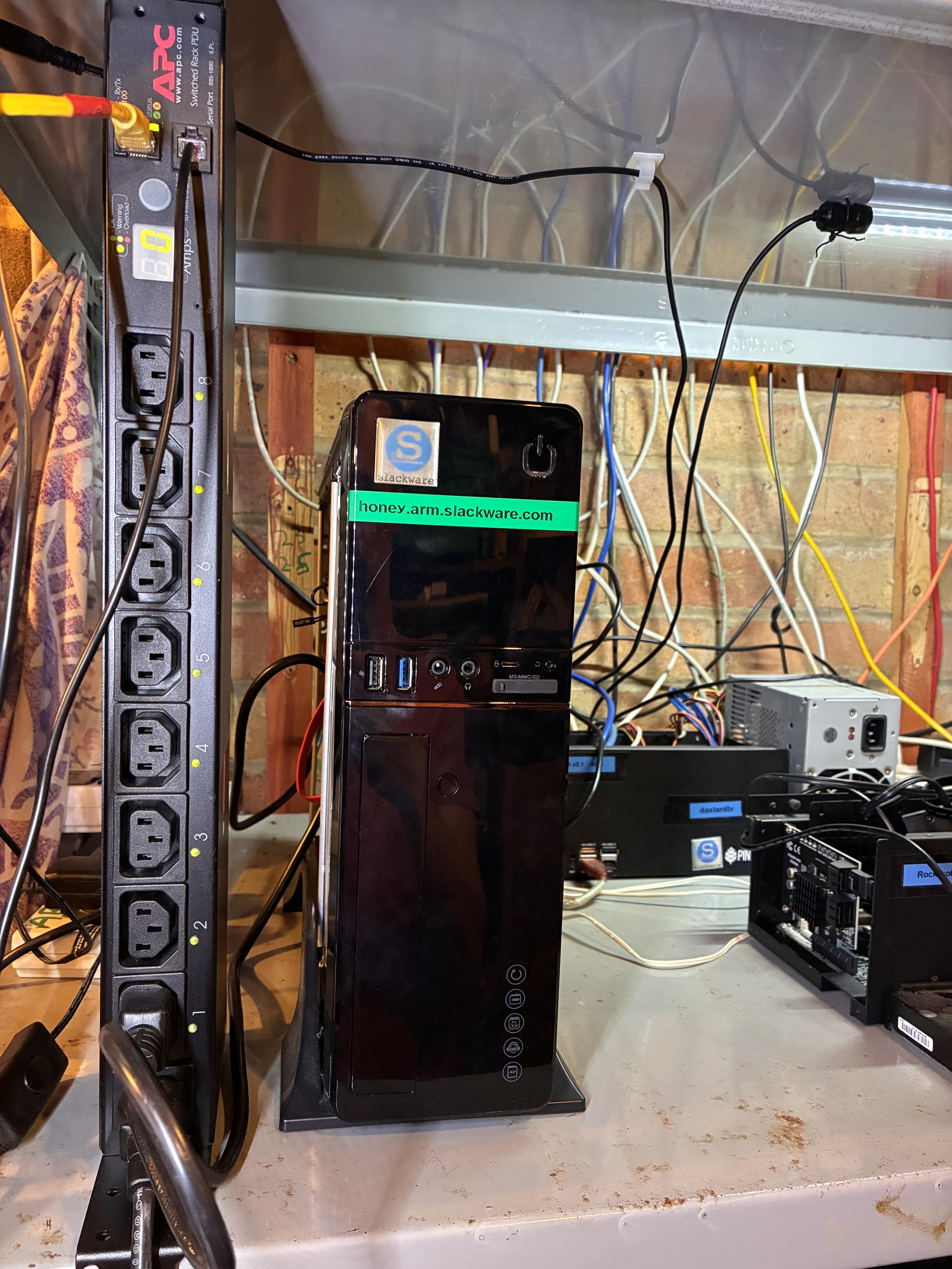
Finally, I can remotely power-cycle the build machines, starting with the master build server, thanks to a remote PDU. 😄
One oddity, though: the current draw reads 0 amps both on the front panel and in the web interface, even while it’s busy compiling packages. According to the HoneyComb LX2 hardware specs, it should typically be drawing around 3A under normal operation. I'll plug some more power hungry kit into it later to see what happens.
![[?]](https://cdn.social.linux.pizza/system/accounts/avatars/114/418/135/965/162/614/original/90fe78a1af973214.jpg)
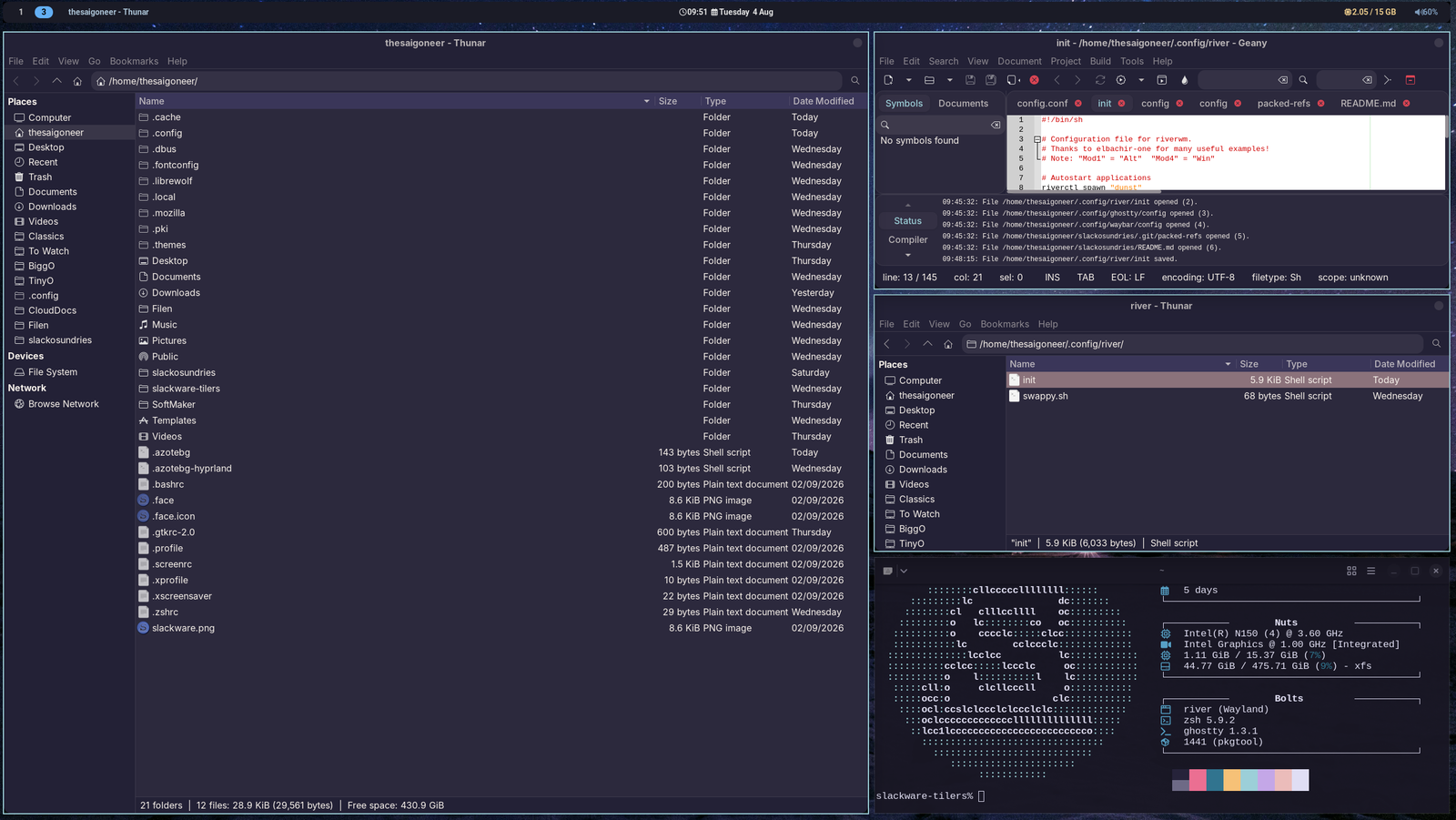
Basically what I want from a wm. No frills, just a bar, a bg, a couple of workspaces, some applications and a bit of color.
River-classic gives me just that.
#slackware #riverwm
Alt...
Multiple windows on river-classic wm, Slackware Current
![[?]](https://mastodon.sdf.org/system/accounts/avatars/000/005/463/original/a54b1acc2e3ae4b1.jpg)
I am still totally floored by the fact that this 2 cpu, 2GB netbook feels perfectly usable under #NetBSD 11.
Despite my love for #Slackware I will be the first to acknowledge that Linux (in general) is now so completely bloated that good little machines are not usable with it anymore.
Kudos to everyone who made this a great release! You guys made my day!
(Also: isn't it weird that NetSurf is able to render netbsd.org and openbsd.org flawlessly?) 😉
![[?]](https://snac.bsd.cafe/r1w1s1/s/avatar-aa8cf9fe6484f5e6eb3532137b7b8fee.png)
A minimal and readable system information utility for Slackware, inspired by ufetch.
The normal output and a cowsay -n composition are shown below.
https://forge.slackware.nl/r1w1s1/slackfetch

![[?]](https://gts.tumfatig.net/fileserver/01FJ093H6Y5VGN20G998J7KN1M/attachment/original/01JZTJV1P9RVJ502PCXKN68R1F.jpeg)
BTW #Slackware buddies, is there a simple special trick to have #Slackbuilds install in /usr/local rather than /usr?
Like some environment variable to set before running the slackbuild script?
The idea is to keep native slackware fs "sane" and add all extra stuff elsewhere.
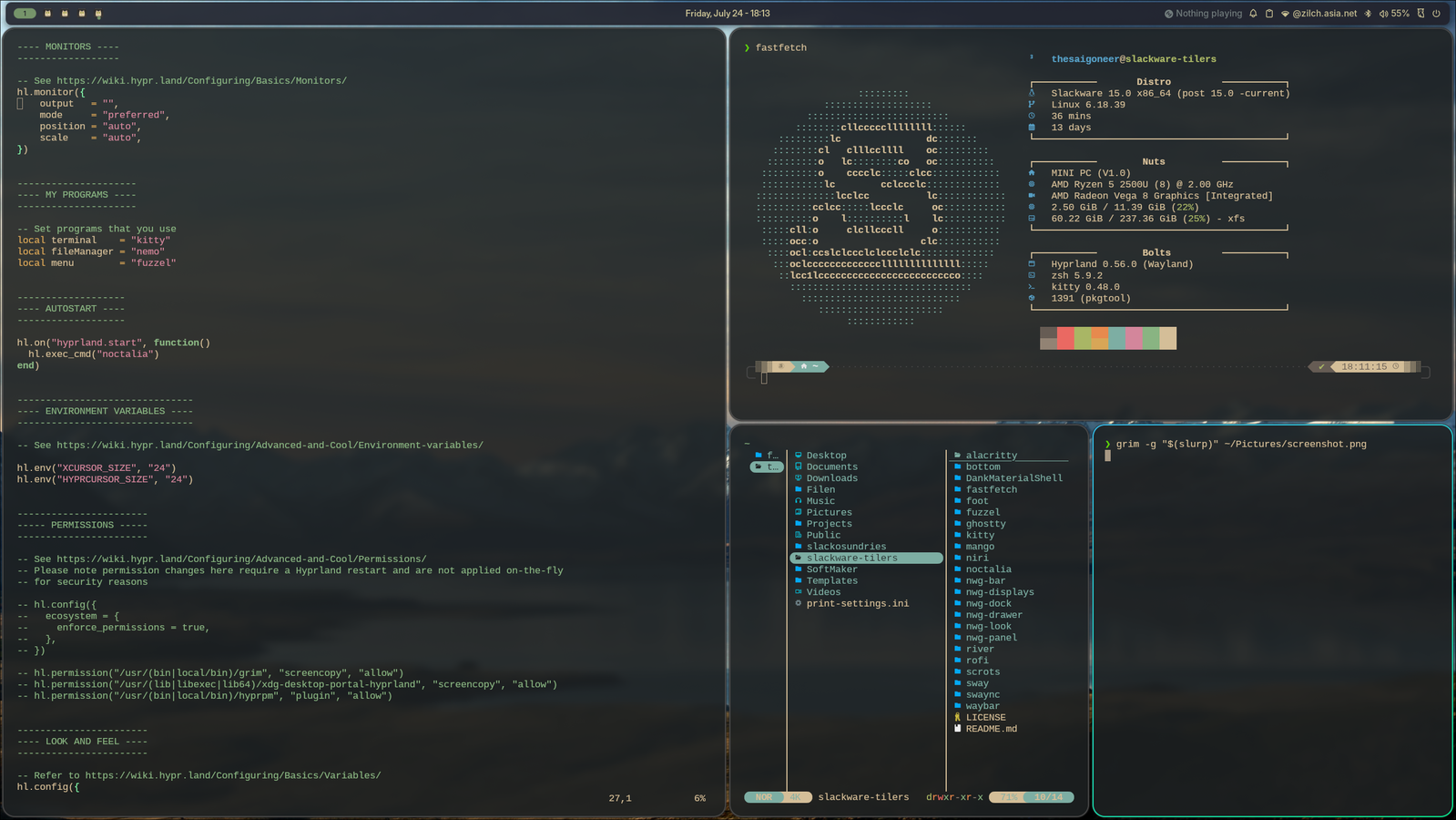
@jloc0 A quick first glance looks like all is good, here is 0.56 running with the latest noctalia shell (thnx for the update). Another great addition. What took me 3 days and didn't work on FreeBSD does in one slacker0ni install on -Current. Thanks for spoiling the weekend 🤣
Alt...
Hyprland 0.56 on Slackware Current, with a fetch and a separate terminal window with yazi. And the latest Noctalia shell beta!
Righting some wrongs.
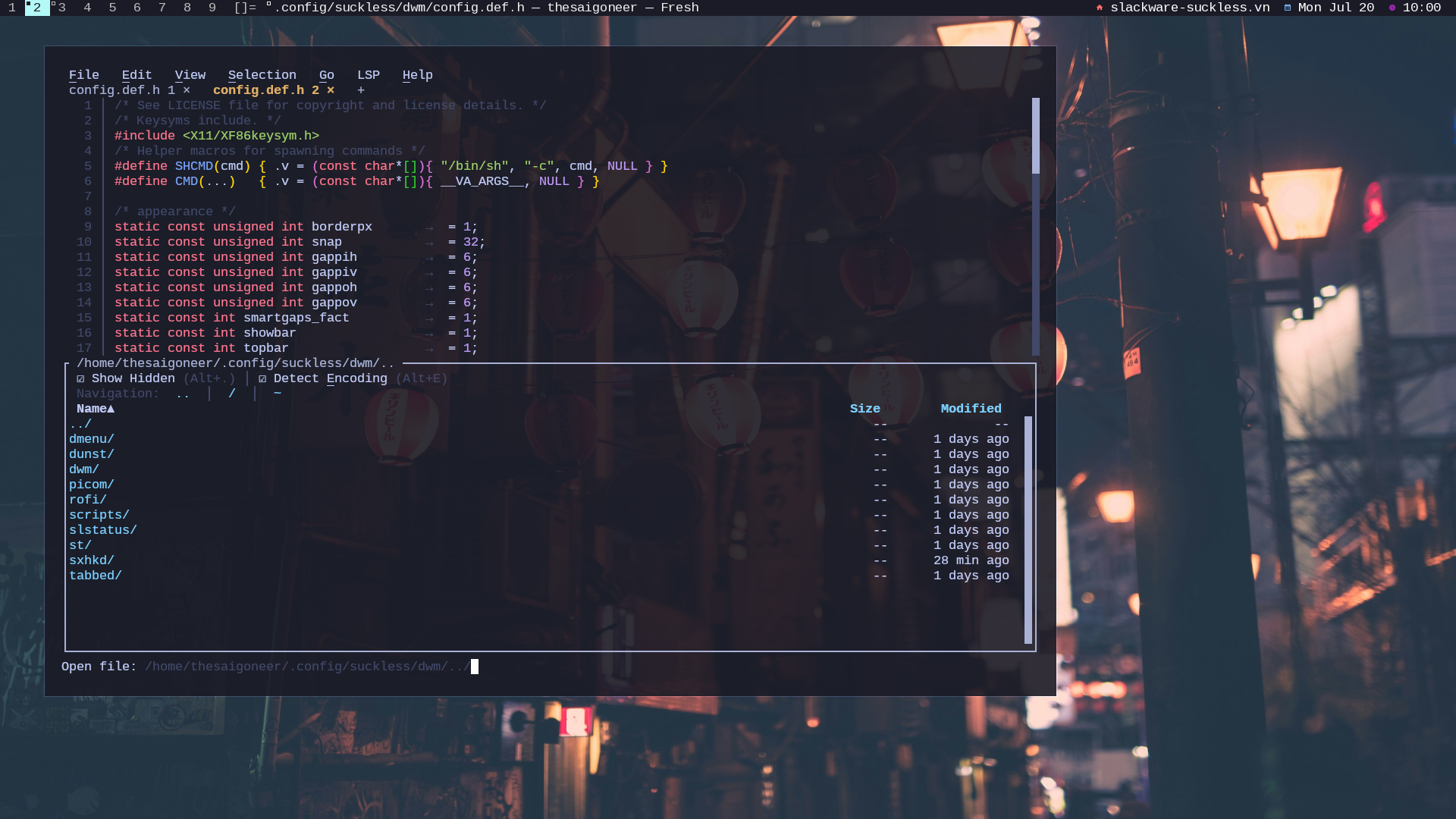
How come I never installed 'plain' Slackware Current with just dwm on my laptop??
Corrected!
Alt...
Dwm on Slackware Current, showing the fresh editor
A unique moment. Having 7 packages in the repo now and they're all updated this week ;-).
One returnee (Brave Origin) and one new entrant: Tixati, the GTK torrent client I've been using for almost a decade now.
#slackware #archlabs #brave #bottom #fresheditor #filen #vivaldi #librewolf #tixati
You can find all here:
Hello!
As it'll probably get buried in the change log, a quick note -- the latest RPi firmware is now available. It's usually worth applying the updates, especially if there are any quirks with hardware interactions.
FMI:
https://www.linuxquestions.org/questions/showthread.php?p=6641829#post6641829
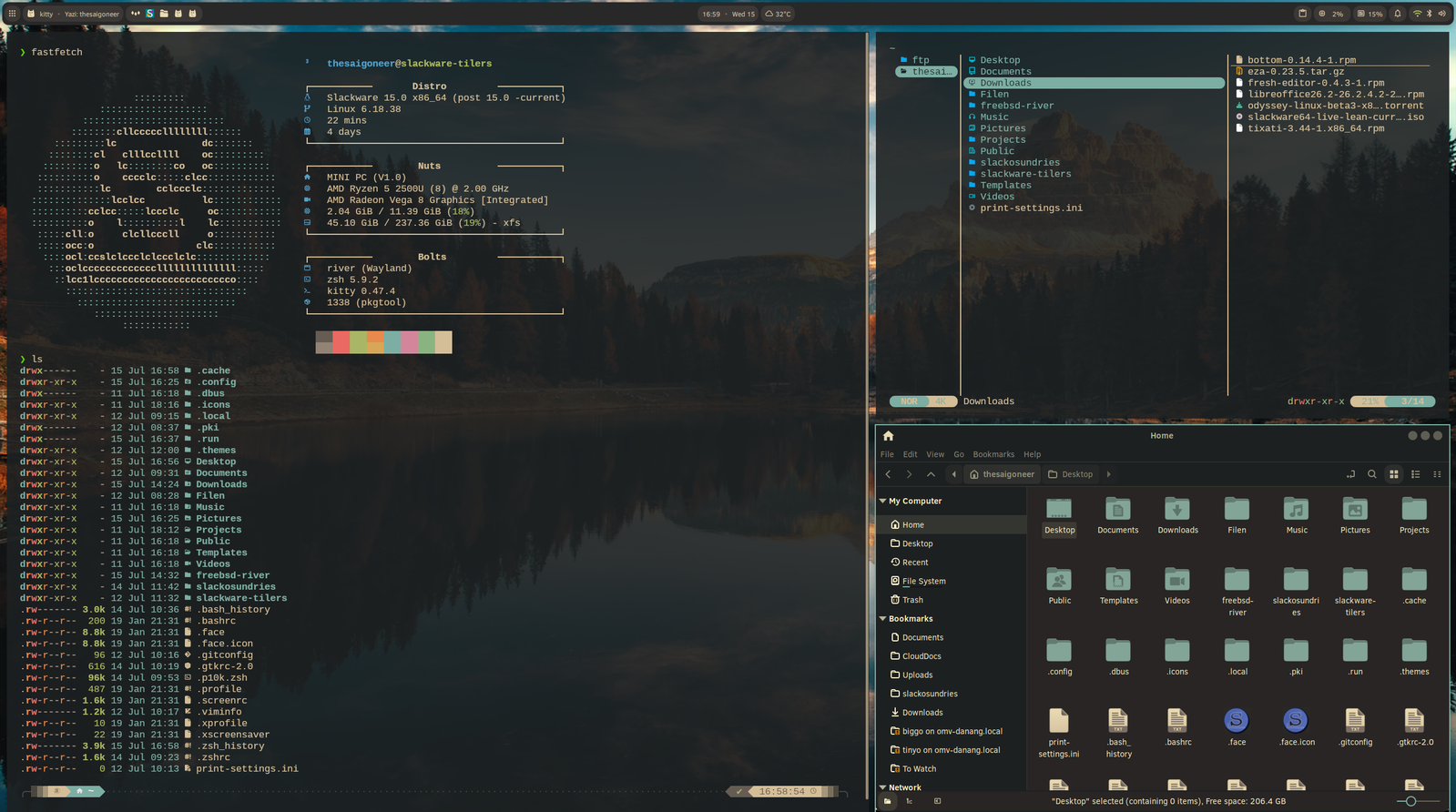
Whaddya all think I'm doing in this hermitage? Configuring River-Classic with DankMaterialShell, yazi, eza, you name it. Noctalia works also.
Thanks @jloc0 , another fine part of your repo 🥳 🍻
#slackware #DankMaterialShell
Alt...
Scrot of Slackware Current, running the River Classic wm. With several terminal windows, running eza, yazi and fastfetch, plus Nemo.
![[?]](https://files.mastodon.social/accounts/avatars/000/149/072/original/52bd807c44720570.png)
A modern implementation inspired by the classic NeXTSTEP desktop. It's interesting to see how its design and workflow still feel relevant decades later.
Definitely a fun project to explore.
#Slackware #NextSpace #XLibre #Unix #X11

With 4 updates (bottom, fresh-editor, librewolf and vivaldi) it's impossible to keep on reclusing 🤣 See y'all next month!
I finally published the CWM configuration I use on Slackware-current as a practical example of that approach.
The repository keeps CWM focused on window management, while sxhkd, small shell scripts, and shared .xinitrc components provide a portable desktop workflow that can be reused across different WMs.
Repository:
https://github.com/r1w1s1/cwm-config
Background:
https://r1w1s1.srht.site/posts/window-manager-agnostic-workflows/
UltraGeeking:
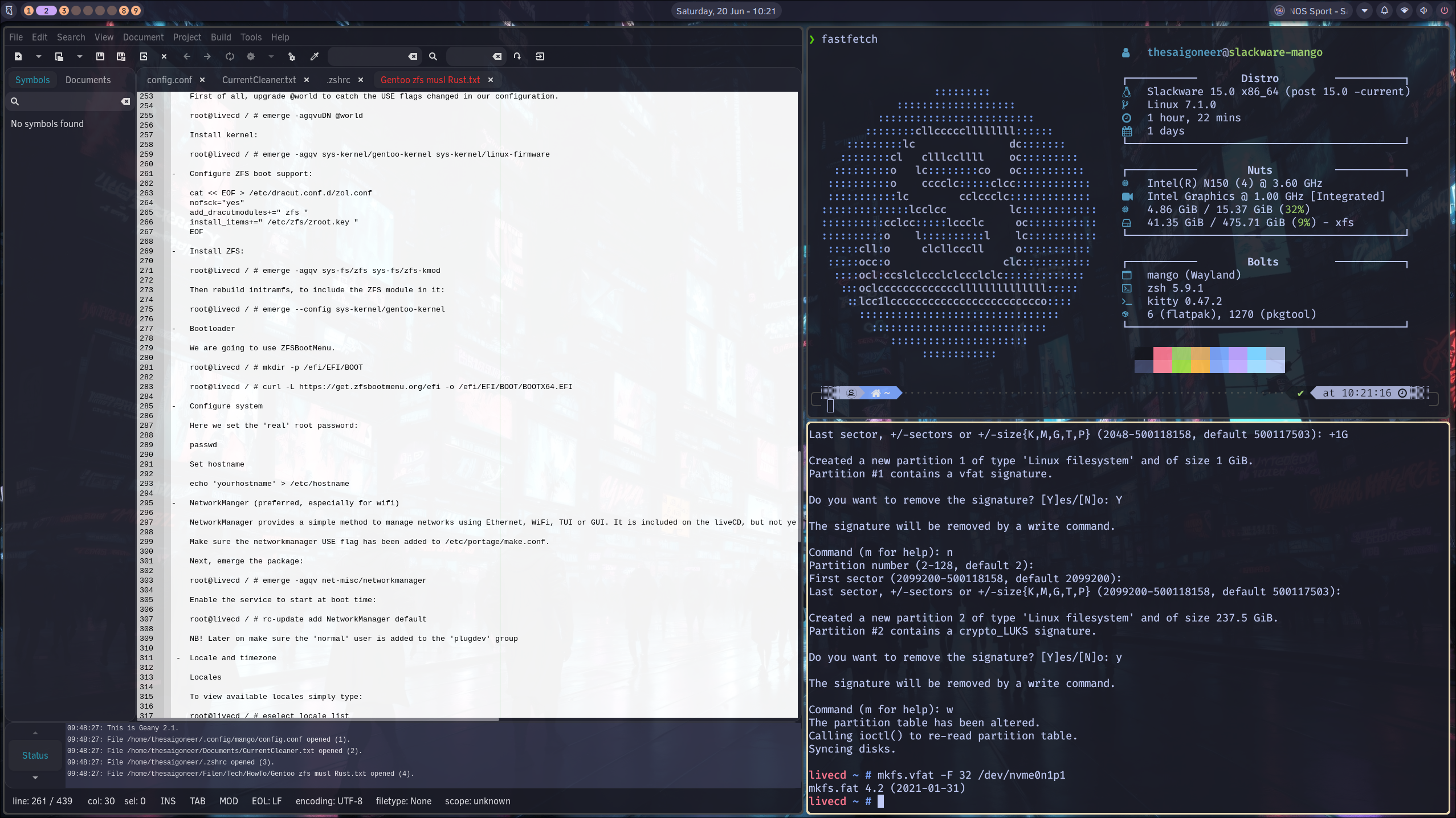
Using Slackware Mango to ssh into a new Gentoo install (musl, openrc, rust, cosmic, zfs if it all works out this time) and writing a install manual is a very nice way to spend this Saturday morning 🤓
#slackware #gentoo #archlabs
Alt...
Scrot of Slackware Mango session, with 3 windows shown: fastfetch of Slackware, install manual for Gentoo and an ssh session into Gentoo
The interesting part is that almost nothing in my workflow changed.
I still use dmenu, tabbed + st + tmux, the same helper scripts, and the same keyboard habits. The only thing I currently miss is slstatus, which is tied to my dwm setup.
That was exactly the point of my Window Manager Agnostic Workflows article: when your launcher, scripts, and keyboard layer are independent from the window manager, switching between WMs becomes easy. The window manager changes, but the workflow remains.
Small, simple tools age well.

slacker is a new rust #slackware #linux package manager.
release 0.9.2_beta.3 is out for testers
https://forge.slackware.nl/rizitis/slacker/releases
Wiki pages updated: https://forge.slackware.nl/rizitis/slacker/wiki
![[?]](https://mediacdn.aus.social/accounts/avatars/112/235/224/277/576/686/original/29dfa5ea22873ad6.jpg)
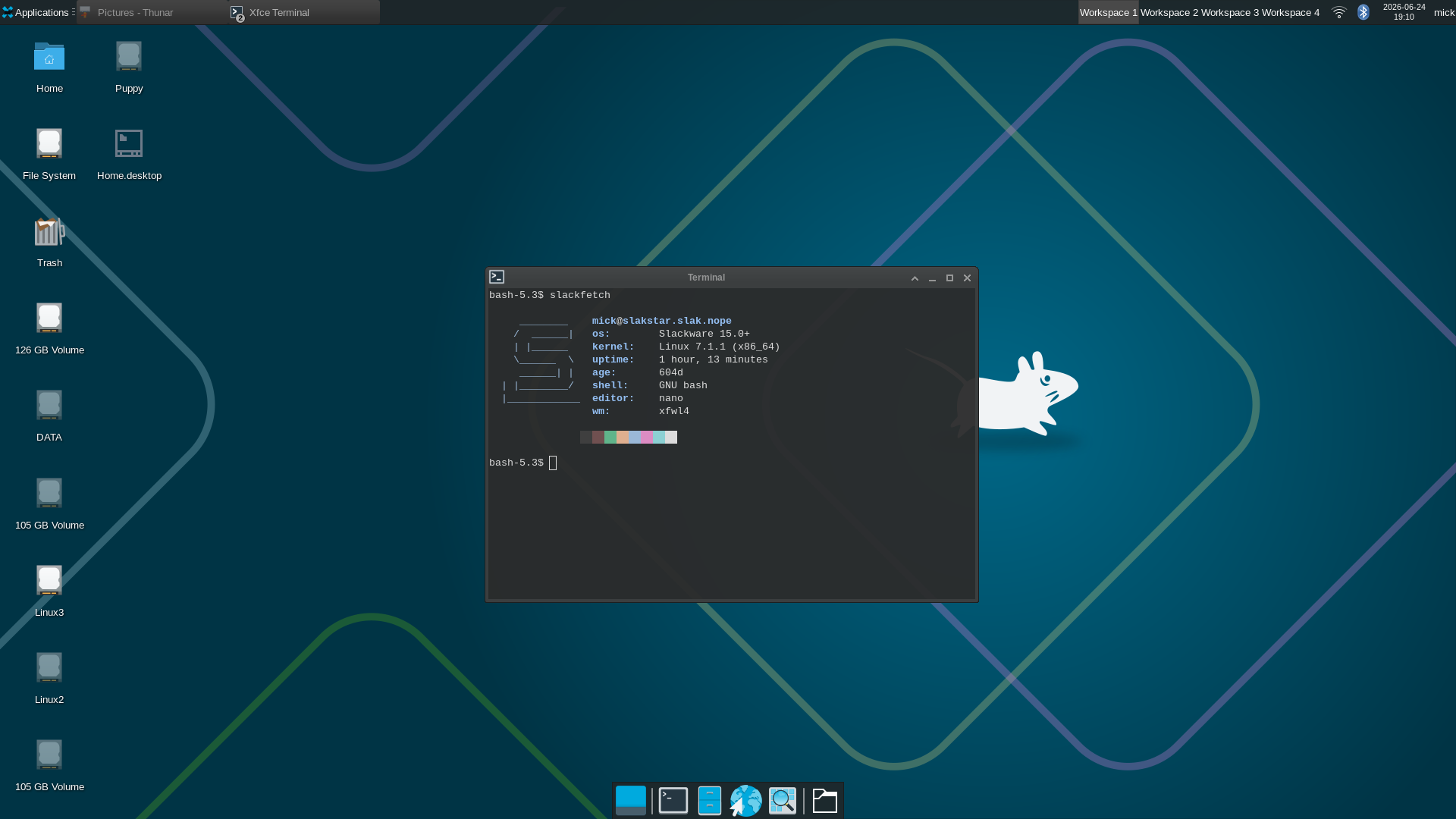
@jloc0 alpaha and all it works fairly well started from tty. I had issues from the desktop file but I care not. Thanks! #slackware #xfwl4
Alt...
Slackware64-current running xfce4 with the new wayland compositor developed for xfce; xfwl4 development release.
It's a minimal system information utility for Slackware, inspired by the philosophy of ufetch while providing a few extra details such as installation age, glibc version, and Flatpak package count.
The goal is to keep the code small, readable, and easy to hack.
I run Testing on Slackware and I see some Xorg drivers being replaced with Xlibre ones (Wacom, AMD GPU). What's the bigger picture here? Oh, and let's put that out there prior: I have zero interest in unfounded ranting allegations, except my own's. Is Slackware moving to Xlibre?
#slackware
Bob Scheifler announces the first release of the X Window System:
"I stole a fair amount of code from W ... and called it X."
Forty-two years later, I'm still running X11 daily on Slackware.
Happy Birthday, X.
![[?]](https://mastodon.sdf.org/system/accounts/avatars/113/038/410/385/678/256/original/b3173e499697dd07.jpeg)
My little unlisted plasma-slim repo has all but been removed at this point. However, I did leave a few packages un-shipped by #slackware. Namely, discover, flatpak-kcm, & plasma-bigscreen. If you use flatpak on your systems, you may enjoy having discover around, and I still want to play with bigscreen so I left it up.
Maybe I'll add those theming programs now, since, why not?
Just finished building the major Slackware updates (Plasma 6 plus a huge number of core package updates) under Open Source UTM using paravirtualised mode on Apple Silicon M2.
UTM has been absolutely rock solid throughout. Had to revert to the HoneyComb LX2 (16×2GHz cores, 32GB RAM) tho, because I couldn’t dedicate enough memory to the VM -- the host’s OOM killer started terminating some of the large KDE package builds.
Dreaming of a Mac Mini M4 for the main build host...
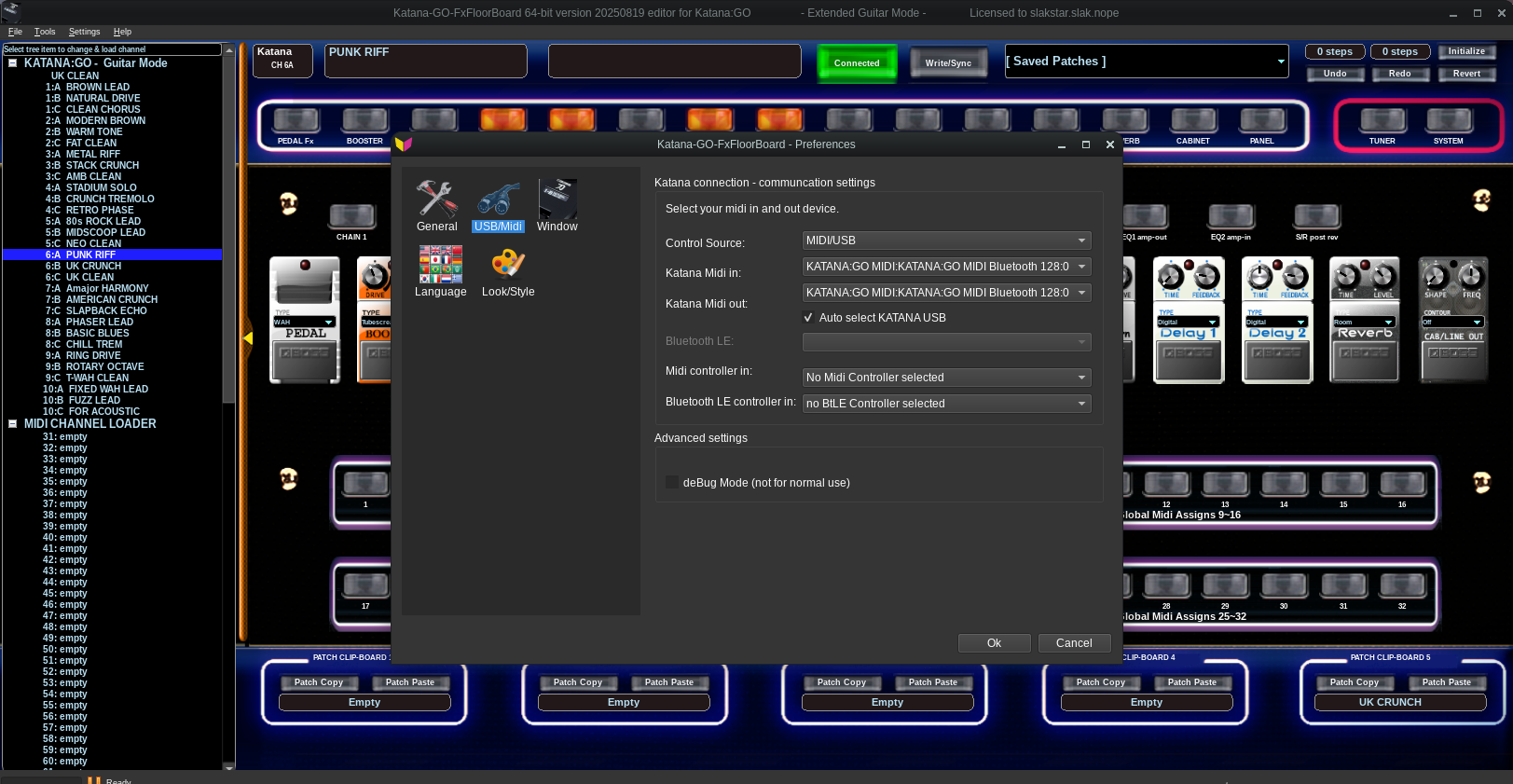
Haha! With all the latest #slackware current updates I decided to rebuild Katana-GO-FxFloorBoard (qt6) and now bluetooth-midi is working! No need to use USB, surprised me that I didn't need to configure anything, just worked!
@jloc0 @dobbie003 @thesaigoneer @r1w1s1
Alt...
Katana GO fxfloorboard guitar modelling software
@r1w1s1 I had to do some cleanup first of course,
1. remove ktown
2. remove kde/ from /etc/slackpkg/blacklist
Still waiting, should be good to go soon, and looking forward to linux 7.1  #slackware
After years of community testing and development, Plasma 6 is now part of the official Slackware-current tree alongside the ffmpeg8 transition. Many thanks to Patrick Volkerding, alienBOB, LuckyCyborg, and everyone who contributed code, packaging, testing, and bug reports along the way.
Mon Jun 15 23:27:31 UTC 2026
Well folks, it seems that the stars have aligned to bring us a bunch of long-
awaited updates, including ffmpeg8 and Plasma 6! This has been developed in a
side tree for several weeks, and I'll be happy to get that off my plate and
have a greatly reduced todo list. Many thanks to alienBOB for getting the tree
in good shape, helping when I got stuck, and for being a good manager who
inspires me to do my best work. 🙂 And we both extend our thanks to the
illustrious LuckyCyborg who ported the build scripts to Plasma 6 in the first
place and then maintained Plasma 6 for Slackware users to test for a couple of
years. And thanks to everyone else who helped out with either of the Slackware
Plasma 6 projects that these updates grew out of.
Have fun!
Mon Jun 15 23:27:31 UTC 2026#slackware #kde6
Well folks, it seems that the stars have aligned to bring us a bunch of long-
awaited updates, including ffmpeg8 and Plasma 6! This has been developed in a
side tree for several weeks, and I'll be happy to get that off my plate and
have a greatly reduced todo list. Many thanks to alienBOB for getting the tree
in good shape, helping when I got stuck, and for being a good manager who
inspires me to do my best work. 🙂 And we both extend our thanks to the
illustrious LuckyCyborg who ported the build scripts to Plasma 6 in the first
place and then maintained Plasma 6 for Slackware users to test for a couple of
years. And thanks to everyone else who helped out with either of the Slackware
Plasma 6 projects that these updates grew out of.
Have fun!
#slackware has finally added #plasma 6 into current!
If you're using any of my repos with the plasma beta or lxqt, please be careful updating and/or remove those repos first from slackpkg+
It's going to take me a bit to filter through what was officially added, and adapt my package set accordingly.
Thanks to Patrick Volkerding for making the packages available for testing, and to the XLibre developers for their work.
Looking forward to seeing how the project evolves.
`Thu Jun 11 23:52:08 UTC 2026
ap/vim-9.2.0620-x86_64-1.txz: Upgraded.
d/cbindgen-0.29.4-x86_64-1.txz: Upgraded.
l/cairomm1-1.18.1-x86_64-1.txz: Upgraded.
l/gmm-5.5-noarch-1.txz: Upgraded.
l/libmpc-1.4.1-x86_64-1.txz: Upgraded.
l/meson-python-0.20.0-x86_64-1.txz: Upgraded.
l/openexr-3.4.12-x86_64-2.txz: Rebuilt.
Recompiled against openjph-0.28.1.
l/openjph-0.28.1-x86_64-1.txz: Upgraded.
Shared library .so-version bump.
x/mesa-26.1.2-x86_64-2.txz: Rebuilt.
[PATCH 1/2] radeonsi/mm: Only setup ref surfaces with tier3.
[PATCH 2/2] radeonsi/mm: Set correct usage in si_dec_fill_surface.
Thanks to fulalas.
xap/vim-gvim-9.2.0620-x86_64-1.txz: Upgraded.
testing/packages/xlibre/xf86-input-evdev-20260421_6fe9c0a-x86_64-1.txz: Added.
testing/packages/xlibre/xf86-input-libinput-20260202_4eb6691-x86_64-1.txz: Added.
testing/packages/xlibre/xf86-input-synaptics-20260103_c22ca42-x86_64-1.txz: Added.
testing/packages/xlibre/xf86-input-vmmouse-20260421_c3de98a-x86_64-1.txz: Added.
testing/packages/xlibre/xf86-input-wacom-20260421_8554973-x86_64-1.txz: Added.
testing/packages/xlibre/xf86-video-amdgpu-20260421_eec2281-x86_64-1.txz: Added.
testing/packages/xlibre/xf86-video-ati-20260421_83098ecc-x86_64-1.txz: Added.
testing/packages/xlibre/xf86-video-dummy-20260112_1fe02ea-x86_64-1.txz: Added.
testing/packages/xlibre/xf86-video-intel-20260518_931b1d93-x86_64-1.txz: Added.
testing/packages/xlibre/xf86-video-mach64-20260105_0f73197-x86_64-1.txz: Added.
testing/packages/xlibre/xf86-video-mga-20260105_f1fdb72-x86_64-1.txz: Added.
testing/packages/xlibre/xf86-video-neomagic-20260105_f009bb7-x86_64-1.txz: Added.
testing/packages/xlibre/xf86-video-nouveau-20260105_4285c8c-x86_64-1.txz: Added.
testing/packages/xlibre/xf86-video-openchrome-20260112_8c35baf-x86_64-1.txz: Added.
testing/packages/xlibre/xf86-video-r128-20260112_04752db-x86_64-1.txz: Added.
testing/packages/xlibre/xf86-video-s3virge-20260105_3be5906-x86_64-1.txz: Added.
testing/packages/xlibre/xf86-video-savage-20260410_41f9fea-x86_64-1.txz: Added.
testing/packages/xlibre/xf86-video-trident-20260107_27fdce9-x86_64-1.txz: Added.
testing/packages/xlibre/xf86-video-vesa-20251229_48bc2b5-x86_64-1.txz: Added.
testing/packages/xlibre/xf86-video-vmware-20260421_5a44540-x86_64-1.txz: Added.
testing/packages/xlibre/xlibre-server-20260611_b524471bc-x86_64-1.txz: Added.
Remove xorg-server first.
Thanks to r1w1s1 for the testing help! 🙂
testing/packages/xlibre/xlibre-server-xephyr-20260611_b524471bc-x86_64-1.txz: Added.
Remove xorg-server-xephyr first.
testing/packages/xlibre/xlibre-server-xnest-20260611_b524471bc-x86_64-1.txz: Added.
Remove xorg-server-xnest first.
testing/packages/xlibre/xlibre-server-xvfb-20260611_b524471bc-x86_64-1.txz: Added.
Remove xorg-server-xvfb first.`

Hey  #slackware users, what is your preferred way of isolating (as-in what are zones/jails for Linux) daemons ? Is docker/podman the usual way-to-go or are there smarter native tools?
Once again, I am reminded why #Slackware is one of the best OS to use when you need to run Linux on a system unconnected to the Internet...
cp -v /path/to/updates/* /home/parade/updates/
sudo upgradepkg /home/parade/updates/*.txz
Done. That's it.
I see qt6 has been upgraded in #slackware. This will break the plasma Wayland session & LXQT as well. Upgrader beware until I have time to process rebuilds for my effected packages in #slackaroni
Sat May 30 20:45:46 UTC 2026
n/openrsync-20250126_a257c0f-x86_64-1.txz: Added.
Got that new #plasma beta 2 up and running on #crux but I also posted packages for #slackware in my little slim-plasma repo, ready for consumption.

Alt...
Plasma 6.7 beta 2 with that fresh new wallpaper on crux-arm.
So much for being crusty.
Slackware Current, kernel 7.0.10 and Plasma 6.7 beta 2 (6.6.91).
Thnks @jloc0 🍻 🥳
#slackware #kde
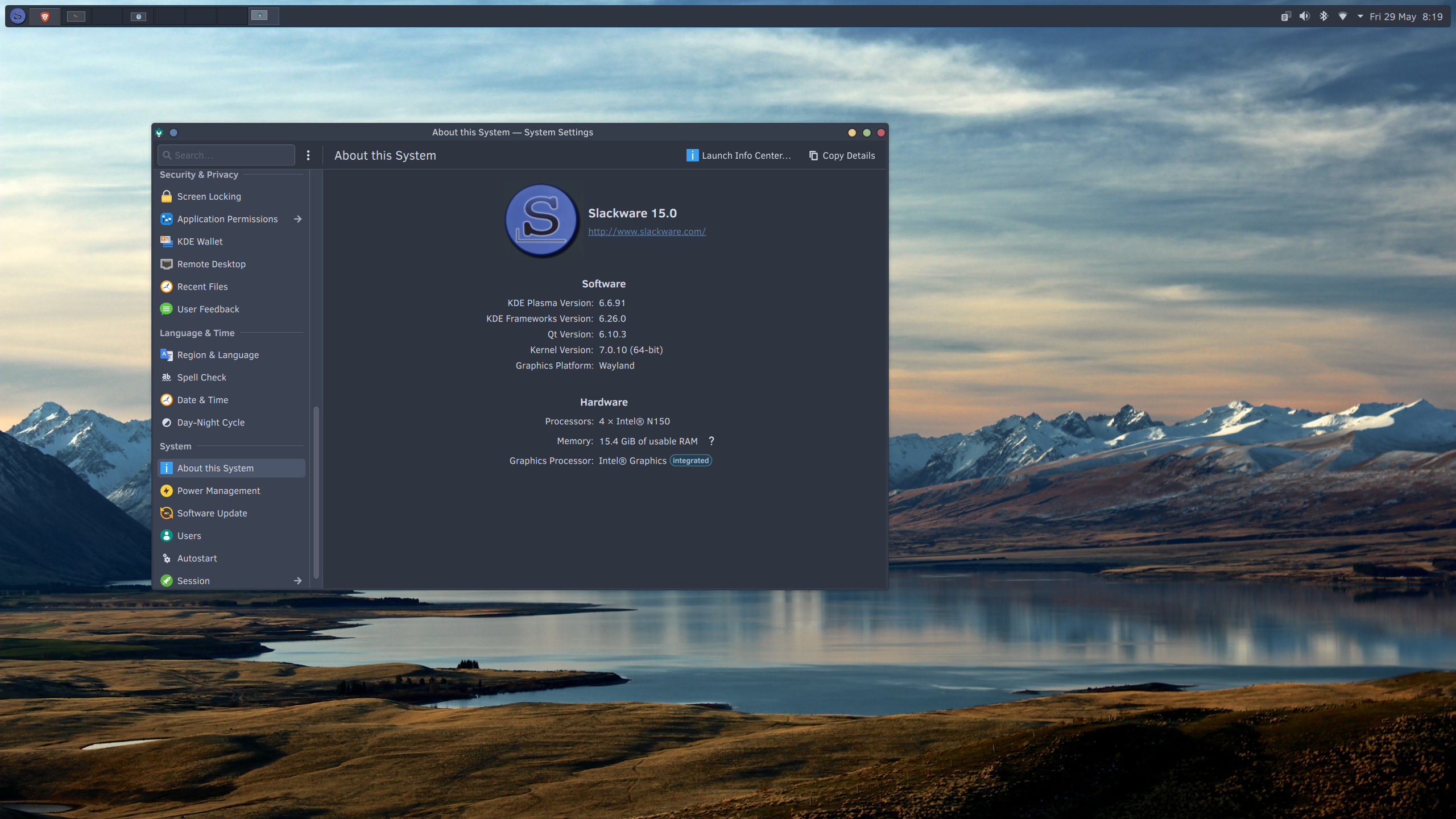
Alt...
Scrot of Slackware Current, kernel 7.10 and Plasma 6.7 beta 2 (6.6.91)
With todays wlroots-0.20.1 update on #slackware I've also now pushed an updated #sway 1.12 package built against it.
I've also added a compat 'wlroots019' package for #mango which if you're using mango @thesaigoneer you're going to want to install. 😆 #slackaroni
One nice detail: when nvi was introduced, Elvis was rebuilt to drop its /usr/bin/vi and /usr/bin/ex symlinks, and nvi only provides those symlinks if no other editor already does.
I just added an "NVI ACROSS UNIX SYSTEMS" section to some notes I keep, if anyone's curious:
https://raw.githubusercontent.com/r1w1s1/code-notes/refs/heads/main/notes/NVI_Editor_Guide.txt
At first I thought fontconfig itself was "broken", but after testing multiple setups I realized the issue was mostly related to how Iosevka behaved with the newer font matching/rendering changes.
Issue/MR related to this:
https://gitlab.freedesktop.org/fontconfig/fontconfig/-/work_items/522
https://gitlab.freedesktop.org/fontconfig/fontconfig/-/merge_requests/520
The funny part is that this ended up helping me discover a new font family:
IoskeleyMono (https://github.com/ahatem/IoskeleyMono)
After testing it in:
- st
- dwm
- Firefox
- Senpai IRC
- Geany
- websites/forums
Sometimes a small issue sends you in the right direction 🙂
I liked it so much that I already prepared and submitted a SlackBuild.
Huge thanks to the developers working on fontconfig and font rendering. People usually only notice this work when something changes, but good typography and font matching matter a lot on a daily desktop system.
After ~1 week using:
[always] madvise neveron Slackware-current with Firefox-heavy workloads:
- no swap usageModern kernels appear to handle THP significantly better than older Linux generations, especially on systems with enough RAM, zram, and NVMe storage.
- no THP fallback allocations
- no compaction stalls
- stable desktop responsiveness
Notes:
https://repo.or.cz/code-notes.git/blob_plain/HEAD:/notes/Transparent_Huge_Pages_on_Desktop_Linux.txt